CPPConsole is a header-only library for C++ projects that adds features to the console to make logging easier, like getting dimensions, coloring text, etc.
Using CPPConsole
Manually copying include directory
To use CPPConsole in your project, copy all the file located in the include/ directory into your own personal include/ folder.
After that, you can add #include "cppconsole.hpp" to your file to include all CPPConsole functions, or include each file individually.
Using CMake
Add this code to your CMakeLists.txt:
Replace your_target with the name of your executable or library. All CPPConsole headers will now be available to it.
Features
- ANSI Escape Code support
- Cross-platform support for Windows and Linux for most functions
- Colorizing text using RGB values
- Moving the Console cursor
- Getting Console Dimensions
- Clearing parts of the Console
- Manipulating text graphics, like making text bold/italic
- Printing data structures, like vectors and maps
Examples
Screenshots

Usage
console::print and console::println are the main function that are used for printing. These work with any data structure, from primitives to vectors and maps.
console::printAll and console::printlnAll take an infinite amount of arguments, seperating them by spaces
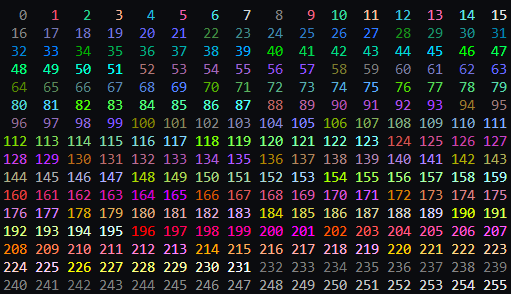
console::colorize takes a string and then a color, changing the color of the text
console::set takes a list of graphics modes, and sets them all (like BOLD and ITALIC)
console::clearGraphics clears all previous graphics modes.
More function can be found throughout the files.
Contributing
If you'd like to contribute to CPPConsole, or would like to report an issue, please read the Contributing Guidelines
License
CPPConsole is licensed under the MIT License
Changelog
CPPConsole's changlog, which includes previous changes and upcoming changes, can be found in CHANGELOG.md